
Feature — 06
Go live.
Stay in the feed.
Broadcast with an Icecast encoder and let Podcasting 2.0 apps tune in. Recording the stream is an experimental switch, not how an episode is usually saved.

Meet listeners live
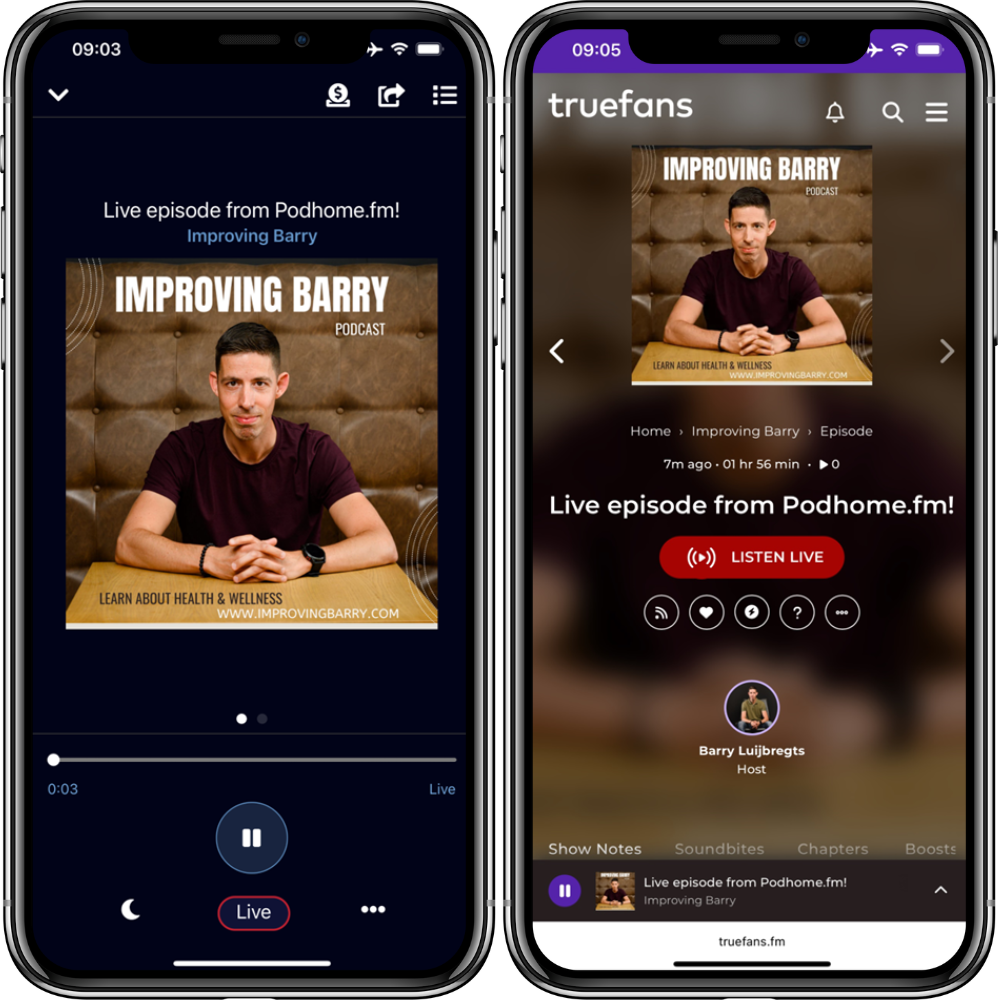
Live inside podcast apps
A live episode uses the podcast:liveItem tag. Apps that support that Podcasting 2.0 tag can play the stream from the show’s feed. Podhome’s docs name Fountain, PodcastGuru, Podverse, and TrueFans. The Podcast Index lists more. Not every podcast app supports a live item.
An Icecast server in the plan
Connect OBS or another encoder
The Podhome streaming server is an audio-only Icecast server, included in the one plan. Use broadcasting software that can send to Icecast, such as OBS. The episode settings show the server, port, mount, and encoder type. You can point the episode at your own Icecast or Shoutcast server instead.
Recording the stream is an experimental switch. If you turn it on, Podhome uploads that audio to the episode after the stream. You can also play a file you already uploaded as the live session. It starts at the scheduled time or when you click Go Live, and it ends when the file ends or when you end the session.
- Included audio-only Icecast server
- OBS and other Icecast encoders
- Your own Icecast, Shoutcast, or HLS URL
- Play an uploaded file as live, or use the experimental switch to record the stream

See the workflow
From encoder to episode
Save the live episode, connect the encoder, and test the stream. Go Live updates the feed and sends a podping so compatible apps can mark the episode live. End Live sends the matching signal. Recording is off unless you turn on the experimental switch. If you did, that audio can become the episode file. Publish it yourself, or turn on publish automatically when finished. If processing fails, Podhome does not publish and emails you instead.
Good to know
Questions,
answered.
Can a podcast be live?
Yes. A podcast feed can carry a live episode next to the recorded ones, using the Podcasting 2.0 live item. It tells an app when the session is planned, where the stream is, and whether it is live right now. People who follow the show see the live episode in the app they already use, without a second account or a link from you.
How do I live stream a podcast?
Create a live episode in Podhome, turn on the Podhome streaming server or enter your own, and set a start and end time. Connect broadcast software such as OBS, test that you can hear the stream, then click Go Live. Podhome updates the feed and tells apps the episode is live. Click End Live when you finish.
How is a live podcast platform different from streaming on a video site?
A stream on a video site lives on that site, and the recording is uploaded to the podcast later. With a live item, the live show is in the podcast feed itself. If you already stream elsewhere, keep doing that and add the stream URL to the live episode, so the feed becomes one more place where the same show is live.
Can a recorded episode go out as live?
Yes. Upload the audio and choose to play it as the live session. It starts at the scheduled time or when you click Go Live, and the session ends when the file ends.
Are live listeners counted in analytics?
No. Live listeners are not counted in download analytics. There is no reliable way to count them yet. Downloads of the published episode are counted as usual.
Which apps play a Podhome live stream?
Apps that support the Podcasting 2.0 live item. The live docs name Fountain, PodcastGuru, Podverse, and TrueFans, and link the Podcast Index list of apps. That is not every podcast app.
What do I broadcast with?
Software that can stream to Icecast, such as OBS. The live docs also name Icecast and Shoutcast servers you run yourself. An HLS URL, including a video stream, can be the broadcast URL. The Podhome server itself is audio only, and not every app shows video. Test before you go live.
Is the Icecast server a separate charge?
No. It is included in the one plan at $15.99 a month or $185 a year. The trial is 30 days of that plan. There is no separate live plan.
What happens to the recording?
Recording is an experimental switch, and it stays off until you turn it on. If you do, Podhome uploads the audio to the episode, the same way an upload does. A test recording is only a few seconds and is not the episode you publish. Publish automatically when finished waits until that real recording is processed. If processing fails, or it is not done within 12 hours, Podhome does not publish and emails you.