
Agentic podcast automation with Claude Code and the Podhome API
This is the developer path. An agent, or a script you run yourself, creates the episode, uploads the file, waits for processing, and schedules the result. The no-code version, Zapier triggers and the “post this when I publish” workflow, stays in Automate your podcast workflow. The chat version for a podcaster who is not writing code is Manage your podcast with Claude.
Both doors hit the same product. Claude Code talks to the MCP server. A script talks to the Integration API. The reference for tools and sign-in is the MCP docs. How that server is built is Building a production MCP server in .NET.
Connect Claude Code
In the project where the agent should run:
claude mcp add podhome --transport http https://serve.podhome.fm/api/mcpThe first tool call opens a browser. Sign in with the Podhome account that can see the show, and approve the consent screen. That session uses OAuth 2.1 with PKCE. Leave the show API key out of the prompt. The key is for a script. The browser login is for the agent. Connected apps are listed under Account → User Settings → Connected AI apps, and you can revoke one there.
Podhome is also listed for the desktop app in the Claude directory. Claude Code does not need that listing. It needs the URL above.
What the agent is allowed to do
The tool list matches the Integration API. An agent can:
- List shows and episodes, and read processing status and download counts
- Create a draft, upload audio from a URL, or upload a local file through a presigned URL (
begin_upload, HTTP PUT,finalize_upload) - Run Podhome AI for a transcript, chapters, clips, titles, and notes, on a new upload or on an episode that already exists
- Edit chapters, people, and clips, and attach alternate media such as a video enclosure
- Read a transcript as text or SRT, and read analytics by app, country, device, and episode
- Schedule an episode
It cannot read billing details or payment methods. Destructive tools are annotated that way, so a careful client asks before a delete. Read the confirmation. An agent that publishes on a timer should schedule, and a person should be the one who says the date is right.
One loop, from a file to a scheduled episode
A working session looks like this. Change the names.
- “List my shows and use the one called Night Shift.”
- “Create a draft episode, 'Interview with Jordan Lee', and upload the audio from this URL.” For a file on disk, ask it to begin an upload, PUT the bytes to the presigned URL, and finalize. The three-step flow is the same one in the MCP docs and the API docs. Processing takes a few minutes.
- “When processing has finished, run Podhome AI for a transcript, chapters, and show notes.”
- “Read the chapters. Rename the vague ones. Leave the timestamps that match the transcript.”
- “Add Jordan Lee as a guest. Set the description from the notes. Schedule it for Thursday at 07:00. Show me the schedule call before you send it.”
That last sentence is the point of an agent here. The model can chain the calls. You still approve the one that changes the publish date.
When the caller is a script
A cron job or a small service should call the Integration API with the show API key from Settings → Integration. You can reset that key in the same place. The API reference is serve.podhome.fm/api/docs. It covers episodes, presigned uploads, chapters, clips, people, transcripts, analytics, show settings, and webhooks.
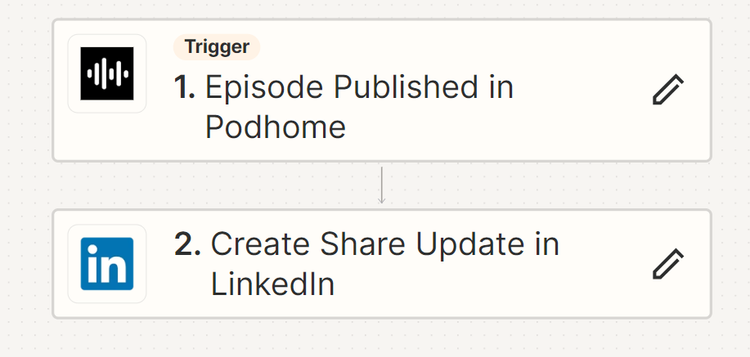
Webhooks are how a script stops polling. Register a subscription and Podhome calls you when an episode is published or a live session starts. The same two events are the Zapier triggers, if the next step is “post this to LinkedIn” and you would rather not write it. Zapier also has a Create Episode action that can run Podhome AI. That path is documented on the automation page, and it uses the API key inside Zapier, not inside a chat.
MCP tools do not take the API key as an argument. A programmatic MCP client sends the show API key in the X-API-KEY header on https://serve.podhome.fm/api/mcp. Prefer OAuth for Claude Code so the key never sits in a transcript.
The API is on the plan
The Integration API, Zapier, and the Claude connector are included in the one plan, $15.99 a month or $185 a year. There is no developer tier. A new account can try that plan for 30 days. Optional Audio Enhancement, if the agent turns it on, is $0.03 per minute after the trial. Leave it off and the invoice is the subscription.
A ChatGPT plugin is not part of this setup. ChatGPT does not connect to the MCP server yet. Claude Code and any other MCP client that can call https://serve.podhome.fm/api/mcp can.
Questions go to support@podhome.fm.