
Manage your podcast with Claude
Most podcast admin is copying a title into a form, typing chapter timestamps one by one, adding the guest, setting the publish date, and opening analytics to see how last week's episode did.
Podhome lets you hand that work to Claude. Podhome has a built-in MCP server, and it is listed in the Claude Connectors Directory. Once you connect it, you can tell Claude “Add chapters at 0:00, 4:30 and 22:10 to my latest episode” and Claude makes the change in your Podhome account.
This guide shows how to set it up, what to ask, and how access works. The reference page, with the full tool list, is Use Podhome with Claude and AI assistants.
What is MCP, in one paragraph
The Model Context Protocol (MCP) is an open standard that lets AI assistants use outside tools. Podhome's MCP server gives Claude the same actions you have in the Podhome dashboard and Integration API: shows, episodes, chapters, clips, people, transcripts, analytics, and Podhome AI. Podhome is listed in the Official MCP Registry as fm.podhome/podhome, and the endpoint is https://serve.podhome.fm/api/mcp.
Connect Claude to Podhome
The OAuth connection takes about two minutes.
Claude Desktop or claude.ai
- Open Settings → Connectors.
- Search for Podhome, or open the Podhome listing in the Claude directory, and click Connect.
- Sign in with your Podhome account. Check the approval screen and click Approve.
- Start a new conversation and ask: “Show me my podcasts.”
OAuth 2.1 with PKCE signs you in. Claude can see the shows your Podhome user can access, and the session stays active for up to 90 days. That sign-in is the connection to use in Claude. The MCP docs also describe a header for scripts, which is separate from this chat.
Claude Code
If you work in the terminal:
claude mcp add podhome --transport http https://serve.podhome.fm/api/mcpThe first time Claude Code uses a Podhome tool, it opens your browser so you can sign in.
Other MCP clients
Clients that support OAuth use the same URL and the same sign-in. A script or custom client that cannot do OAuth, and that can set HTTP headers, sends the show API key in the X-API-KEY header. The key is in Settings → Integration. Leave it out of the chat. MCP tools do not take an API key argument.
Ten things to ask Claude this week
Copy these prompts and change the details for your show.
Publishing
- “Create a new draft episode called 'Interview with Jordan Lee' with this description: …”
- “Upload the audio from this URL to that episode, then tell me when processing is finished.”
- “Schedule my draft episode for next Monday at 9:00.”
Podcasting 2.0 extras
- “Add chapters to my latest episode: Introduction 0:00, Main topic 2:30, Listener questions 18:45, Wrap-up 25:00.”
- “Add Jordan Lee as a guest and me as host on the latest episode.”
- “Create a 45-second clip called 'Best moment' starting at 12:00.”
- “Add the video version of this episode from this URL as an alternate enclosure.”
Chapter editing, including a pass that starts from Podhome AI, is in Great chapters in five minutes and the chapters guide.
Podhome AI
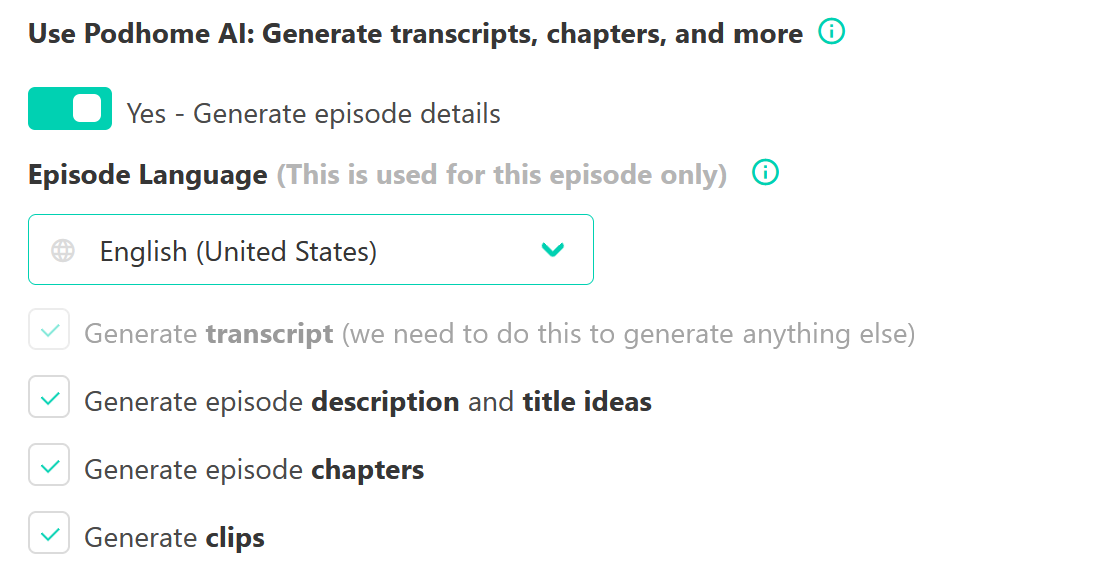
- “Run Podhome AI on my latest episode to generate a transcript, chapters, and show notes, then suggest three titles.”
Podhome AI drafts those pieces from the audio. You review them before they go live. The product guide is Podhome AI. Claude is the way to ask for that work in a conversation, and to change the draft afterward.
Analytics
- “Show my downloads for the last 30 days, broken down by country and app.”
- “Which five episodes have the most downloads this year, and what do they have in common?”
Claude is useful because it combines steps. For example: “Get the transcript of episode 42, pick the three strongest 30–60 second moments, and create clips for them.” Claude reads the transcript, chooses the moments, and creates the clips through Podhome.
A practical workflow: from recording to a scheduled episode
After you finish a recording, one conversation can carry the episode the rest of the way:
- “Create a draft episode called 'Interview with Jordan Lee' and upload the audio from [link].”
- “Run Podhome AI on it.”
- When processing is finished: “Show me the generated chapters. Rename chapter 3 to 'What we changed' and remove the last one.”
- “Add Jordan Lee as a guest with their website [url].”
- “Use the AI show notes as the description, add a link to [url] at the end, and schedule it for Thursday 07:00.”
The sequence stays in the chat. Chapters, people, and the description go into the RSS feed with the episode.
What Claude can and cannot touch
- Can: everything in the table on the MCP docs page. That includes shows, episodes, chapters, clips, people, transcripts, analytics, Podhome AI, audio enhancement, and alternate media.
- Cannot: your billing details, payment methods, or other sensitive account settings. The MCP server has the same capabilities as the Integration API.
- You stay in control: connected apps are listed in Account → User Settings → Connected AI apps, and you can revoke one there. If a script sends a show API key in the
X-API-KEYheader, regenerate that key under Settings → Integration.
Claude asks for confirmation before it changes anything, depending on your Claude settings. Read the confirmation before you approve a delete or a publish, the same way you would with a teammate.
The connector is part of the one plan
The Claude connector is included in the Podhome subscription. Podhome has one plan, at $15.99 a month or $185 a year, with unlimited shows, unlimited episodes, and unlimited Podhome AI. Connecting Claude does not add a tier or a credit meter.
Get started
- Already on Podhome? Open Claude, go to Settings → Connectors, and connect Podhome.
- New to Podhome? Start the 30-day trial of that same plan, then connect Claude.
- Hosting somewhere else? Move your show to Podhome. The import copies the feed and leaves the show in place at your current host. Then ask Claude to tidy up your chapters. Host-specific steps for Buzzsprout and Spotify for Creators are on the move pages.
Questions? Email support@podhome.fm.